BenchBox v0.1.4: release summary
BenchBox v0.1.4 was released on March 3, 2026.
This post is a summary of what changed in this version, including plan capture accuracy, chart correctness under skewed data, and result metadata fidelity across load and datagen phases.
TL;DR
--capture-plansnow defaults toEXPLAIN (ANALYZE, FORMAT JSON)behavior (analyze_plans=True) so captured plans include measured timing, not just optimizer estimates.New
power_barchart type visualizes TPC Power@Size scores. Added to five built-in templates.ASCII chart rendering handles outliers correctly across all chart types. Extreme values no longer compress the rest of the chart into an unreadable sliver.
Per-table load timings and datagen phase duration are now recorded and exported in result files.
SSB dot-notation query IDs (for example
Q2.1) now work end-to-end in--queriesand plan-related CLI flows.--quietoutput now emits only the bare result filepath to stdout for scripting and CI.
At a glance
Area |
What changed in v0.1.4 |
Why it matters |
|---|---|---|
Query plan capture |
Default capture mode now records actual timing ( |
Plan data matches what the query actually did, not what the optimizer predicted |
Charts - power_bar |
New TPC Power@Size chart + template integration |
Compare throughput across versions/platforms at a glance |
Charts - outlier handling |
Outlier capping improved across all chart types |
Extreme queries no longer collapse the rest of the chart |
Result timing metadata |
Per-table load timings and phase durations propagate reliably |
Complete timing picture across all phases in result files |
SSB query IDs |
Dot notation IDs preserved through normalization and CLI |
SSB subsets and plan inspection behave correctly |
Quiet mode |
Bare filepath output contract in |
Easier scripting: pipe result path directly without parsing output |
Runtime environment |
ABI validation for isolated driver installs |
Prevents crashes from incompatible driver binaries |
What changed for typical workflows
1. Plan capture now defaults to actual execution timing
Before: --capture-plans ran EXPLAIN (FORMAT JSON), capturing the optimizer’s estimated plan: structure, estimated rows, estimated costs. This was useful for understanding plan shape, but the timing shown was the optimizer’s prediction, not measured execution time.
Now: we default to EXPLAIN (ANALYZE, FORMAT JSON). The captured plan includes actual elapsed time per node, actual row counts, and loop counts, the same data you’d see running EXPLAIN ANALYZE interactively in DuckDB or psql.
This matters when diagnosing regressions. The plan shape might not have changed, but a specific node’s actual runtime can reveal where time went. Version comparisons with plan capture enabled now show whether the optimizer changed its strategy and whether that actually changed execution time.
We also fixed several issues in the plan capture pipeline: DuckDB’s JSON plan format (dict extra_info handling), plan preservation through the normalization pipeline, and result loading consistency in show-plan / compare-plans.
To opt out per-platform, set analyze_plans: false in your tuning config if you want estimated plans only:
# tuning.yaml
analyze_plans: false
Or via the CLI:
benchbox run --platform duckdb --benchmark tpch --scale 0.01 \
  --capture-plans \
  --platform-option analyze_plans=false
2. Throughput comparisons with power_bar
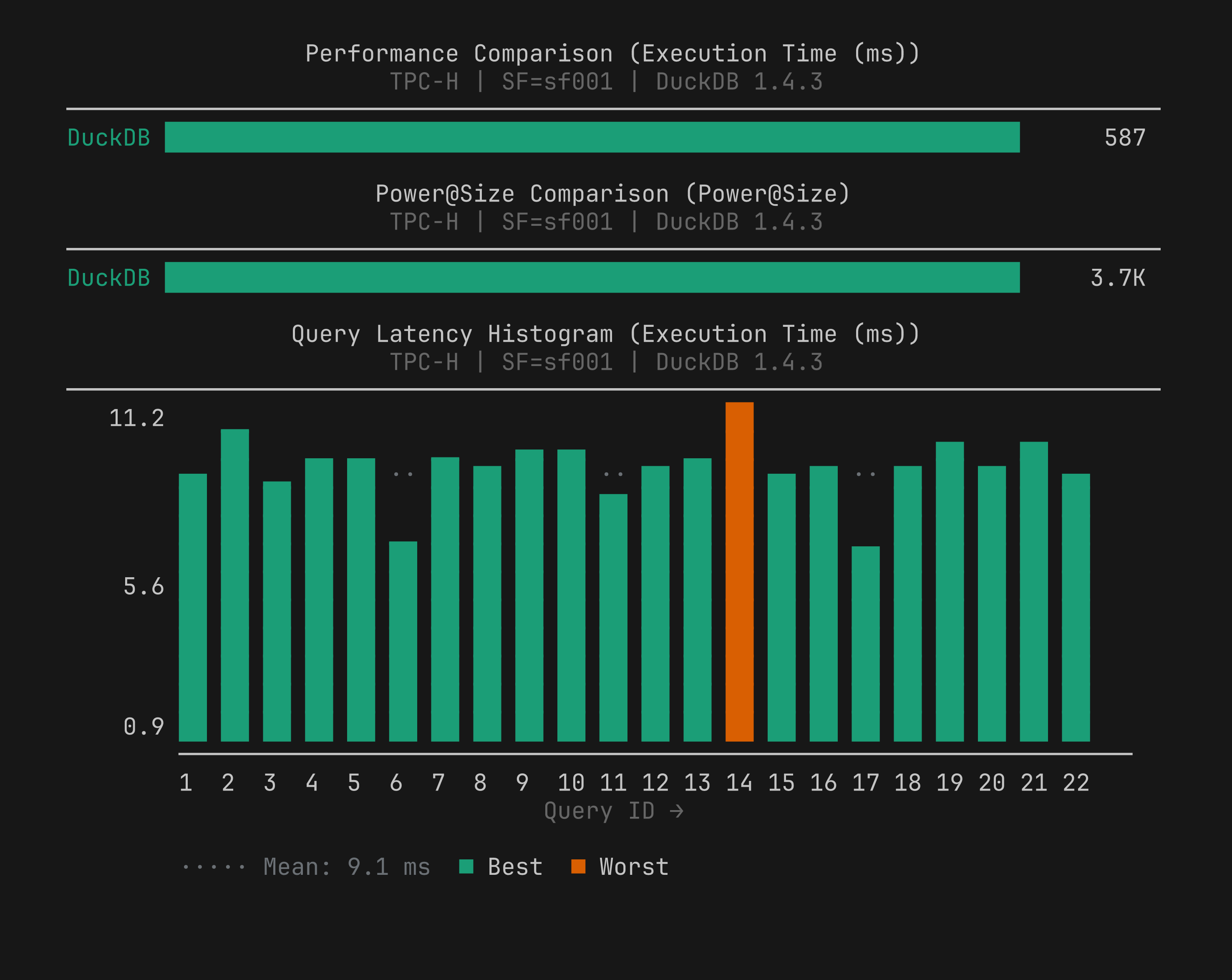
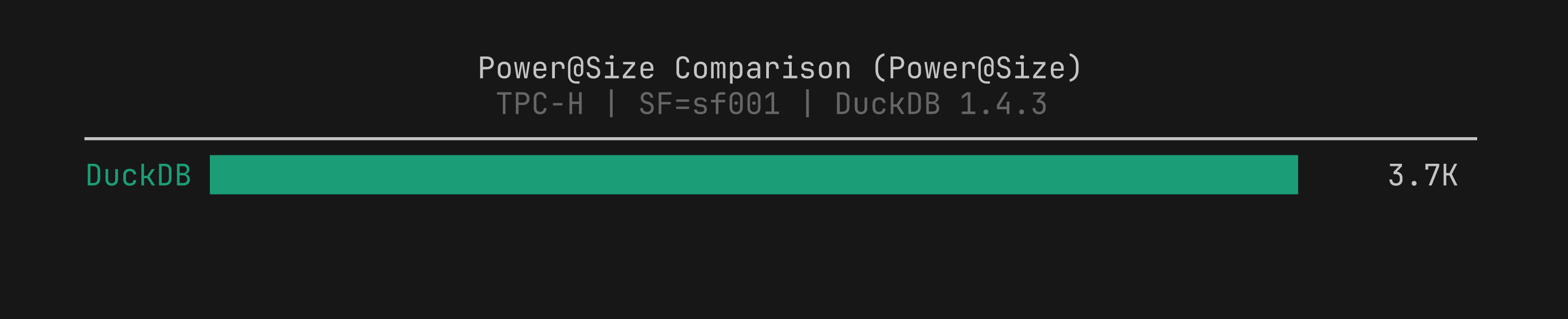
We added a new power_bar chart type that visualizes TPC Power@Size scores as a horizontal bar chart. Higher bars mean better throughput, the opposite of performance_bar where lower is better. The chart is safe to include in any template: it renders only when TPC metric data is present and is skipped silently for non-TPC runs.
We added power_bar to five templates: flagship, head_to_head, trends, regression_triage, and executive_summary.
benchbox visualize benchmark_runs/results/<result>.json --chart-type power_bar
3. Outlier handling in ASCII charts
Before: one extreme outlier (a cold-cache query taking seconds while others finished in milliseconds, or a query with a bad plan) could compress everything else in a chart into a few characters at the left edge, making the chart useless for comparing the rest of the queries.
Now: we apply outlier truncation across all chart types. Values beyond the capping threshold are marked with a truncation indicator; the axis scales to the non-outlier range.
This applies to bar, histogram, stacked bar, scatter, line, CDF, percentile ladder, and heatmap paths. We also fixed box plot severity marker interleaving in this release.
Additional chart improvements:
Natural sort for query IDs (Q1, Q2, …, Q10 instead of Q1, Q10, Q11, Q2)
Color cycling correctness
Effective width cap raised from 120 to 400 characters (better on wide terminals and in MCP responses)
Major additions
Driver-version-aware chart labeling
Multi-platform chart series labels and run summaries now include driver version context. This makes versioned driver comparisons easier to interpret at a glance.
Runtime ABI validation for isolated driver installs
We added ABI compatibility checks to isolated runtime discovery. This catches incompatible runtime/driver combinations early and avoids SIGSEGV-class crashes from incompatible driver binaries.
Presorted data-generation modes for table formats
We expanded data-generation and organization support with:
parquet-sortedoutput mode,delta-sortedandiceberg-sortedorganization paths,clustering primitives (z-order, Hilbert, partition-aware sort),
and
cluster-bytuning integration.
Major fixes and stability work
v0.1.4 closes a set of correctness issues across plans, results, and runtime handling:
Plan capture pipeline: We fixed forwarding of
capture_plansthroughRunConfig, DuckDB JSON plan edge cases, query plan preservation through normalization, and result loading consistency inshow-plan/compare-plans.SSB query handling: dotted IDs like
Q2.1are now preserved and accepted in query selection.Result pipeline accuracy:
Load/datagen duration propagation and corrected load-phase duration keying
Per-table load timings now appear in
table_statisticsin result filesDatagen manifest stats (files generated, rows, duration) now surfaced in phase metadata
Explicit duration override handling in result builders
Runtime environment: We fixed interpreter targeting and
auto_install_usedpropagation, plus crash prevention in matching-version auto-install paths.Additional correctness: restored
ai_primitivesregistry fallback, corrected SQLiteforce_recreateoption handling, fixed SSB customer row-count expectation inSSBRowCountStrategy, and resolved visualize command stability for multi-series output.
Changed behavior to be aware of
Plan capture mode changed:
--capture-plansnow runs EXPLAIN ANALYZE by default. This adds query execution overhead during plan capture runs (queries execute twice: once for the benchmark result, once for the plan). Useanalyze_plans: falseto opt out.make test-allresource policy changed: resource-heavy tests are now serialized and slow/performance suites are moved into a dedicated stress lane. This is an internal change that does not affect benchmark workflows, but developers running the full test suite will see different lane behavior.
Quick upgrade checks
After upgrading to v0.1.4:
Confirm installed version:
benchbox --version
Run a quick smoke benchmark:
benchbox run --platform duckdb --benchmark tpch --scale 0.01 --phases power --non-interactive
If using
--capture-plans, confirm EXPLAIN ANALYZE timing appears in plan output:
benchbox run --platform duckdb --benchmark tpch --scale 0.01 --capture-plans --non-interactive
If using SSB with query selection, verify dot-notation IDs work:
benchbox run --platform duckdb --benchmark ssb --scale 0.01 --queries Q2.1,Q3.2 --non-interactive
If your automation uses
--quiet, update to capture the bare result filepath from stdout.
Bottom line
v0.1.4 is a correctness release. Plan data now reflects what queries actually did, not what the optimizer predicted. Chart output stays readable even when one query dominates the scale. Result metadata carries timing through all phases without gaps. None of these are new features; they’re what we found and fixed by using v0.1.2 and v0.1.3 under real conditions.
If you run into anything unexpected after upgrading, open an issue and we’ll take a look.
Reference
Changelog entry:
CHANGELOG.md([0.1.4] - 2026-03-03)